
All Fellowship friends and members are invited to request a library card and start using our digital checkout system. Of course, you can still use the notebook, located on the shelf to the left of the window, but by using your very own digital library card, you help reduce the administrative overhead involved in keeping the library up and running.
It’s easy! Let me show you how!
Apply for a card at THIS LINK. Your card will arrive via email within 3 business days.
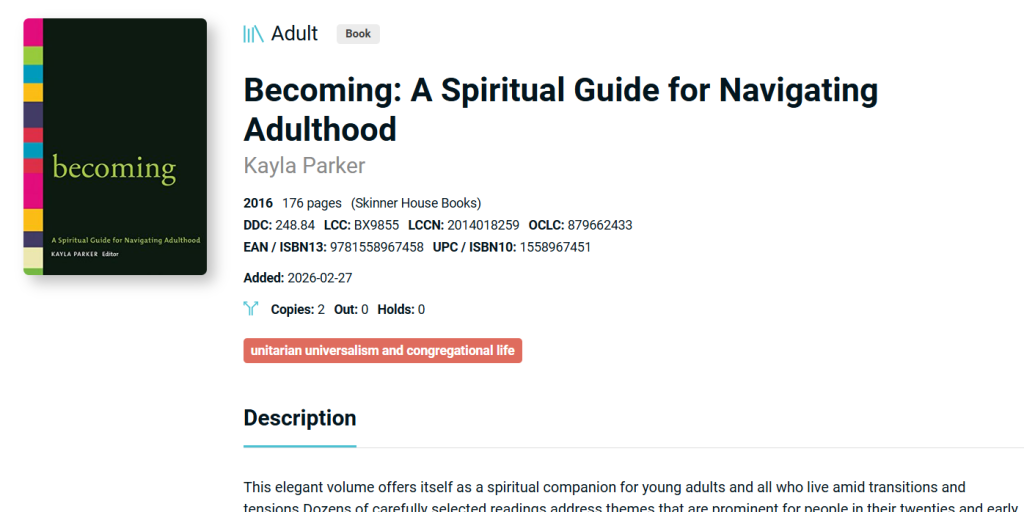
Search the catalog HERE or use the QR code on the bulletin board just inside the library door. Or, you can just browse the old-fashioned way. The resources have now been sorted into general categories. If you find something in the electronic catalog that you want to check out, you can find it on the shelf in the section indicated by the red tag. The example below is a book that can be found in the Unitarian Universalism and Congregational Life section! Please note that tags may only show up in the desktop version of the libib catalog on some devices.
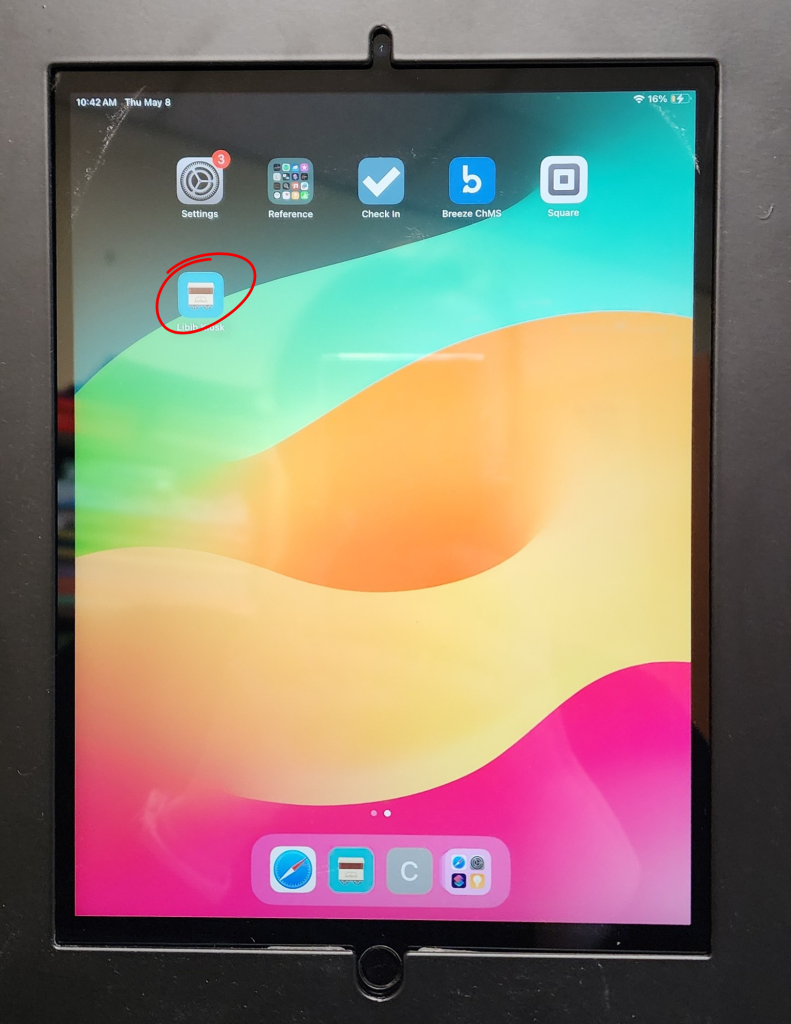
Once you’ve found the book you want to take home, you could sign it out in the check out binder OR you could use your handy dandy new library card at the kiosk! If the iPad has gone to sleep (it probably has), simply press the button at the bottom to wake it up. Then you’ll find the libib kiosk app and tap it to open.
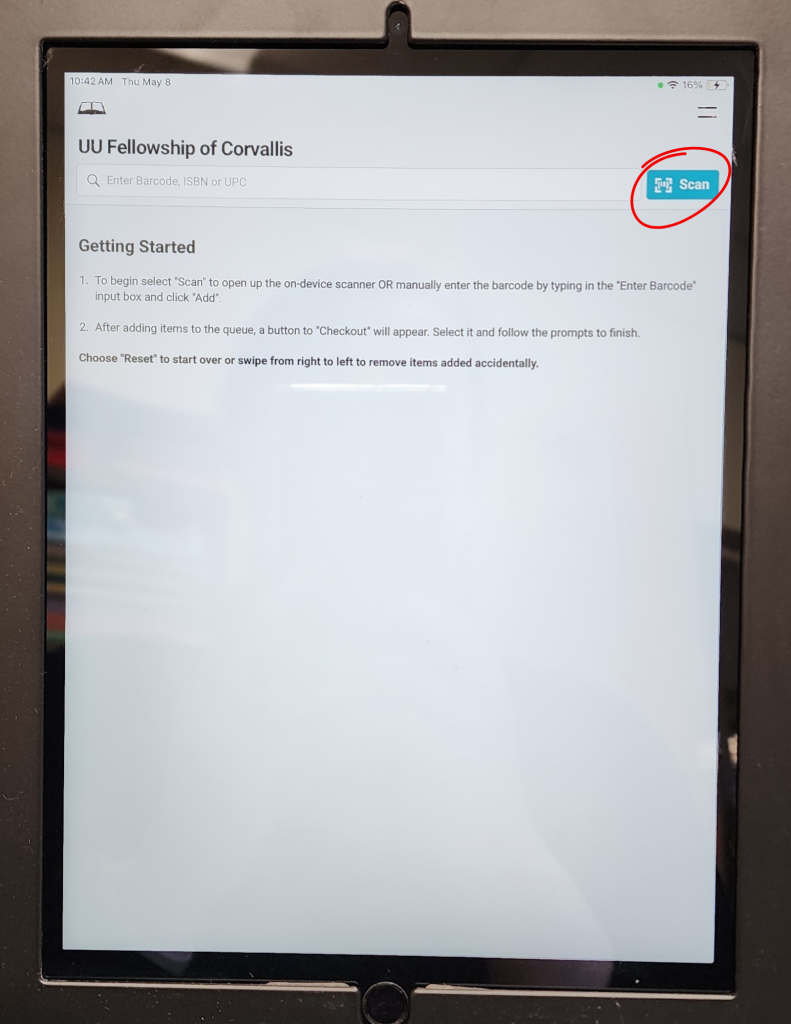
You’ll immediately be at the checkout screen. There are directions on the screen. Let’s walk through them together!
The first thing you’ll do is tap the blue SCAN button. This will open the camera on the back of the iPad to scan the QR code on the back of your book.
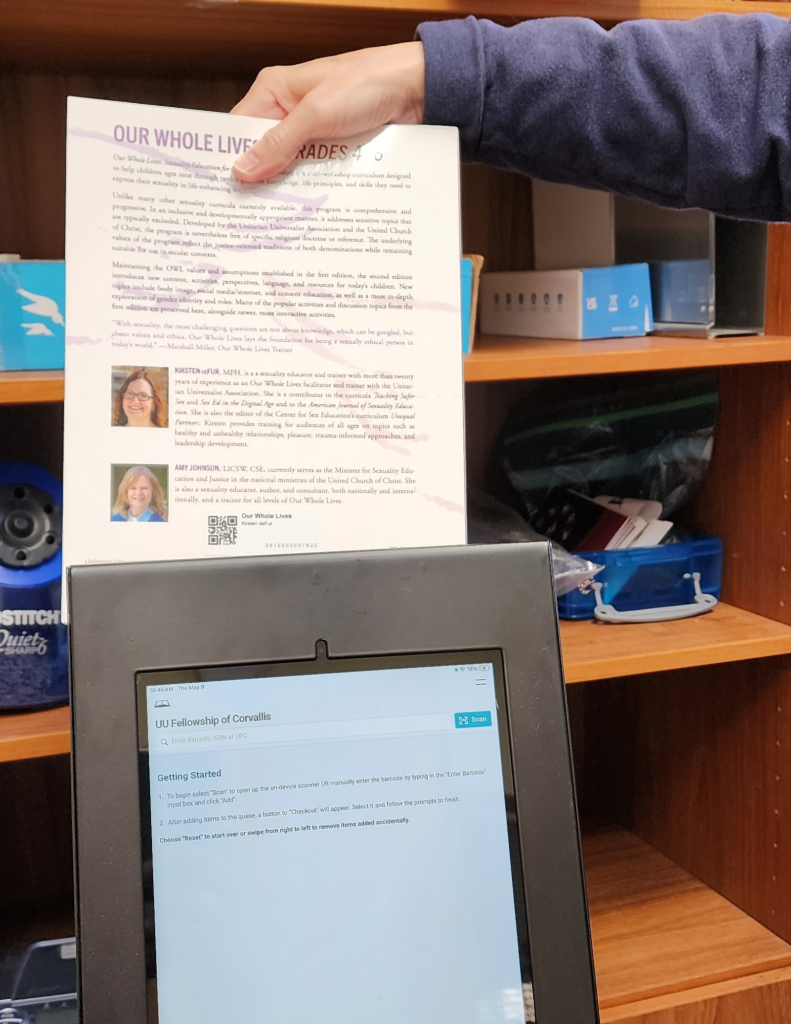
Simply lower your book (or movie or card deck) behind the iPad so that the QR code shows up on the screen.
As soon as it scans the code, it will say Success! and then your item will appear listed on the screen. You can scan until your heart is content. I mean, let’s be reasonable, but yeah. Take all the things you plan to read in the next little while.
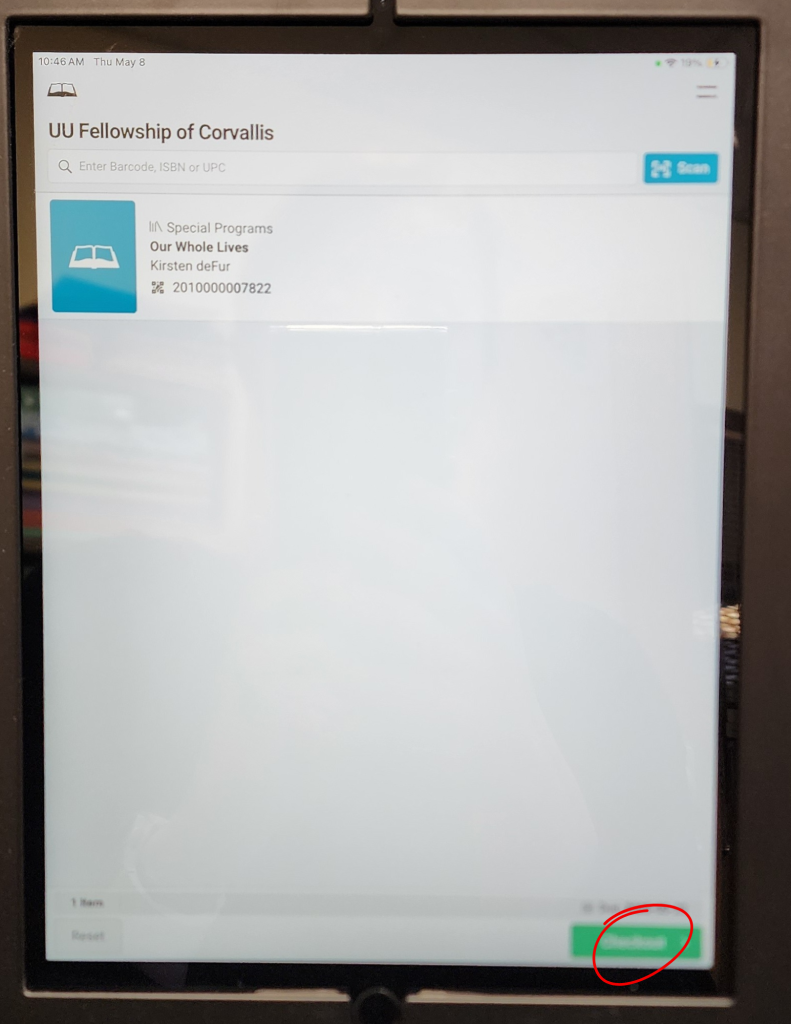
When you’re all done, you’re ready click the CHECKOUT button in the bottom corner. Sometimes it’s green. Sometimes it’s blue. Life is a mystery!
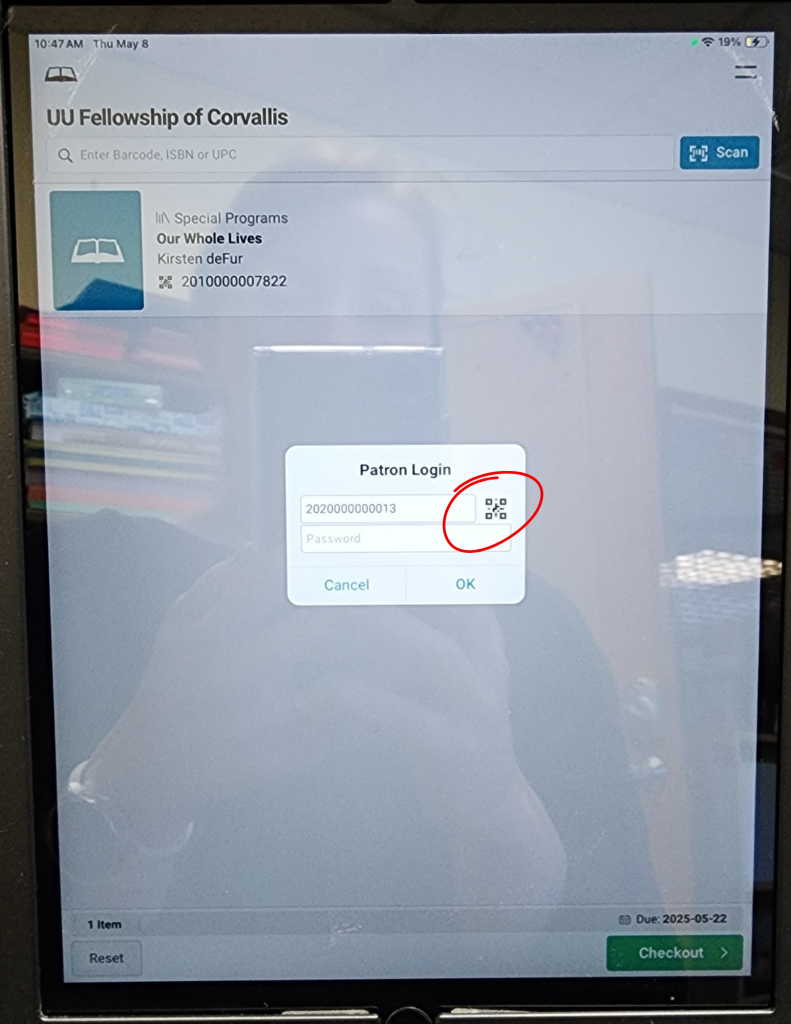
Finally! The moment you’ve waited for! The chance to use your super cool Fellowship Library Card! You could enter your patron ID in manually, but that’s so boring when you could tap the QR code and then just scan your card like you did the book.
As soon as it has registered your patron QR code, you’ll be greeted with another friendly Success! message and you’re ready to go tell your friends how easy and fun that was.

When you’re done with your items, please return them to the “returns” basket located on the shelf to the left of the window. One of your friendly neighborhood library volunteers will check it back in and reshelve it for you!
If you happen to run into snags, come find or email me. Skyla! I’m happy to help you until we find a new librarian. Or, you know, you could use the binder and move on with your day. That said, I’d really appreciate knowing your experience, what’s working and what’s not, as we learn this new system.
In the earliest stages of our rollout, there may still be books that have fallen through the cracks and haven’t been stickered, or they have an old sticker, and the kiosk doesn’t recognize it. All of these details are things we want to know about! Please, if you have the time, don’t just stick the books back on the shelf if you find an anomaly that isn’t in the system correctly. Let me know so I can fix it!
Thanks for being a Fellowship library patron! You rock!